
Players now
13
▼ 31.6%vs 24h ago · updates every minute
Last 7 days
Screenshots, achievements, specs, every price change and sale we've seen on Steam, and trading cards.
Loading from Steam…
Steam prices for United States (change the country in the top bar), and Steam keys from authorized stores.
Checking other stores…
Loading from Steam…
84% positive of 110 · Very Positive · Live from Steam
Loading reviews from Steam…
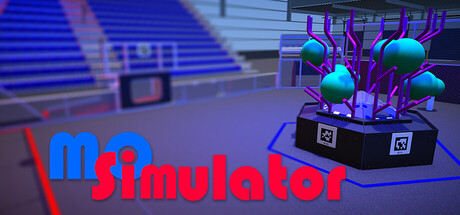
[The world’s FIRST and BEST overlay utility to prevent 3D motion sickness] Find the ideal settings to reduce your 3D motion sickness. Activate this when playing games or watching game streams. Windowed, pin to window, borderless window and borderless fullscreen are all available!
Live data from Steam, tracked by SteamPlayerBase.
Not tested by Valve yet. Results from Valve's own testing.
Valve hasn't published test details for this game.
What changed on Steam for this game since we started following it: prices and sales, builds, name, release date and review score.
Review score: 84% on 2026-11-03 → 84% today (110 reviews)
No authorized Steam key store lists this game right now.
Games we track that share the most Steam tags with this one.






Every build released on Steam for this game since we started tracking it, with the developer's patch notes. Updated within minutes of each new build.
The design of the new 'Spike' overlay type has undergone a very minor adjustment.
We fixed an issue where the opacity settings for overlays and crosshairs would not sync correctly when entering or exiting custom area.
1. Improved the system so that the crosshair "hold" hotkey does not trigger when adjusting settings within the program's configuration window, even if the hotkey is assigned to the left mouse button.2. Fixed an issue where a custom area saved on a large monito…
Updates have been made so that when using high-resolution monitors such as 4K, text or margins in the settings window and tray menu do not become distorted even when the Windows scaling is increased to 150% or 200%!In particular, regarding the tray menu, icon …
Fixed an issue where adjusted slider values were not updated upon restarting after saving settings!
We would like to thank all users of our application once again!!!Please let us know in the comments if you have any inconveniences or suggestions!Improved font and font size to enhance visibility in the settings window and tray menuRemoved rulers from the slid…
You can now use the newly added 'Spike' overlay type!This design extends from the corners of the overlay area toward the center,and it comes in three distinct styles based on the shape of the tip: 'Sharp', 'Round', and 'Taper'.While it might obscure more of th…
You can now freely adjust the size and position of the area where the overlay appears using your mouse via the "Custom Area" option in the Display tab!We believe this feature will be particularly useful when watching gameplay videos.Update Notes1. Added the ab…
The UI of the Settings window has been upgraded!Additionally, UI themes have been added, so you can now choose one that suits your taste.A small icon for announcements has been added to the bottom left of the Settings window.We hope you enjoy this update!1. Fi…
You can display the overlay by running the game in 'Borderless' within the game settings!
"Borderless fullscreen" feature added!⚡ Performance ImprovementsAdded Mulmiyac On/Off toggle buttonAdded new Overlay types and stylesGreatly expanded Crosshair customizationAdded Borderless Fullscreen modeAdded Subtitle Safe AreaSignificantly improved Hotkeys …
You will soon be upgraded to "V2" with an enhanced system and various features!!!! Saved settings and profiles from "V1" are not compatible !!!⚡ Performance ImprovementsAdded an full Overlay ON/OFF toggle buttonAdded new Overlay types and stylesGreatly expande…
A new overlay pattern has been added.For now, it has been added experimentally only for 16 : 9 resolution, and other resolutions will be available in the future!Thank you to "别追杀我球球了"!!!
1. First, set up the Global Overlay hotkey.2. In the Options > Video tab, select 'Windowed Borderless' (Fullscreen also appears to be available).3. With the game running, use the Global Overlay hotkey to bring up the overlay.4. If the overlay does not turn on …
You can now use overlays and crosshairs even at 16 : 10 resolution!Thank you to everyone who patiently waited through this frustrating wait.We will also add a split-screen mode as soon as possible.Thank you!!!
1. Set the overlay on/off hotkey in the Hotkey tab of the software settings window.2. Enter the game and select Windowed Fullscreen Mode in the Video Options.3. Bring up the overlay using the hotkey you set.